Home My projects Packet Tracer Projects

My Projects

Here you can find my explanations and experiences with my homelab.

This entire page needs to be updated and redone with images and more relevant projects

Primary server

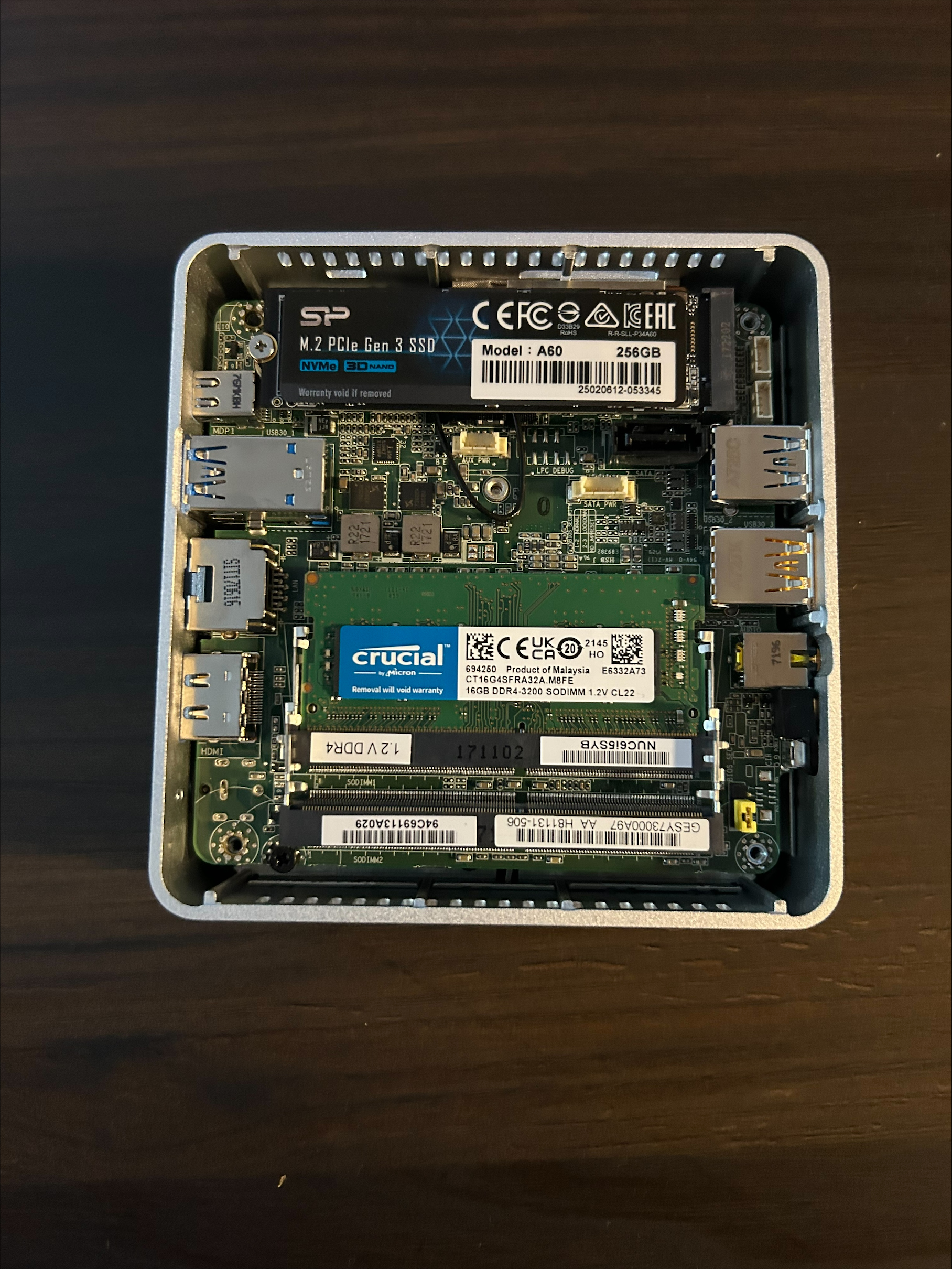
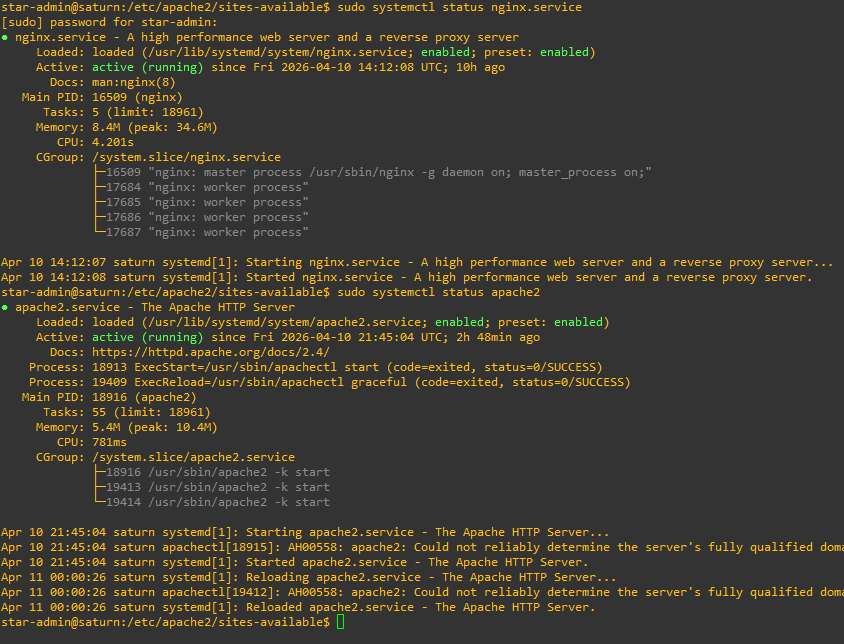
This server hosts this website you are on now. This website and all projects are hosted locally from my home. In fact, this server hosts all the projects listed on this site, except for one. The other websites that are hosted are a business website, a website that allows me to upload files and acts a sort of cloud This project was pretty simple to develop because it's simply HTML and CSS and the server software is Apache2 running on Linux Ubuntu. There are a couple of other features this server has on the local end, though.

Since Apache2 allows me to serve multiple websites, known as virtual hosts, I need an easy way to test them. For a while, I used the Windows host file, but this has some issues. Firstly, the host file does not allow access the page from another device without changing its host file, if it has one.

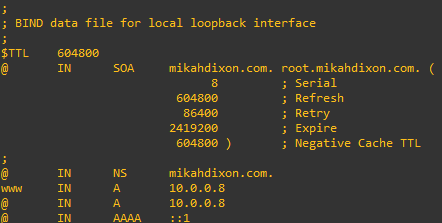
Secondly, The host file also doesn't dynamically update the IP address if I change the network, which I have done several times. So I opted to use Bind9 for DNS services. The DNS server takes the website name, mikahdixon.com, and translates it to the server's IP address.

this needs a picture of DNS and maybe some of the files that the server uses

Homelab network

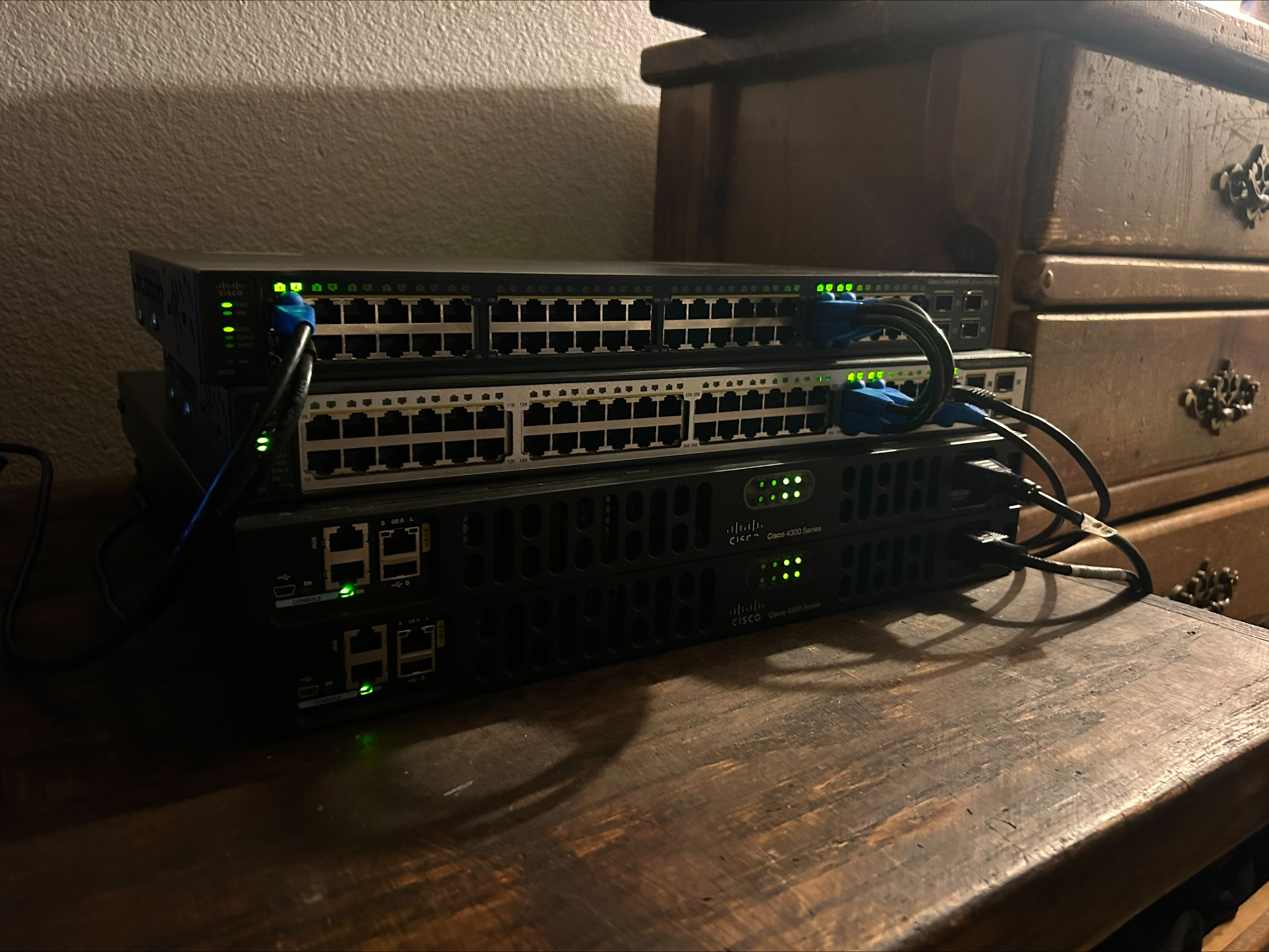
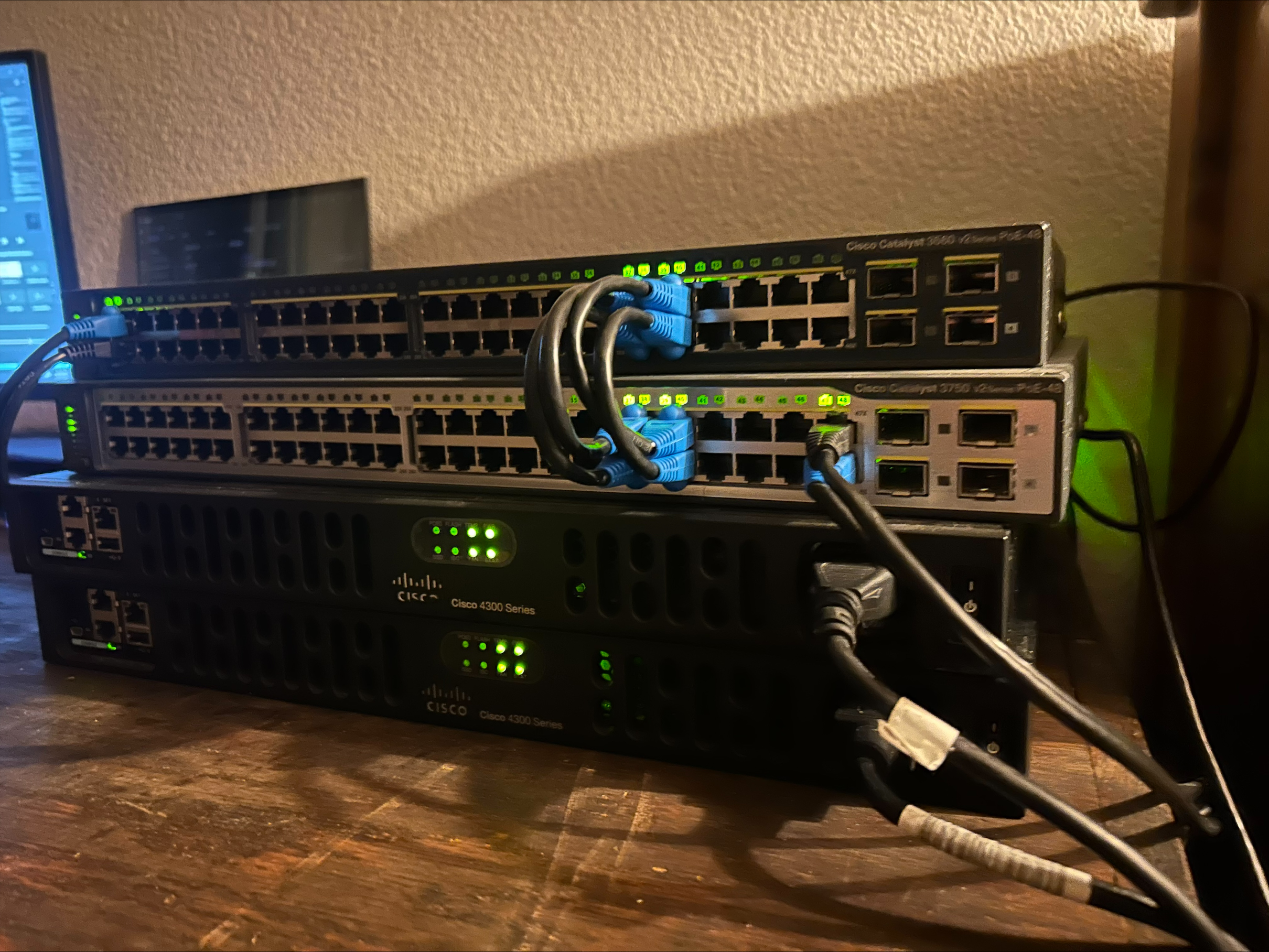
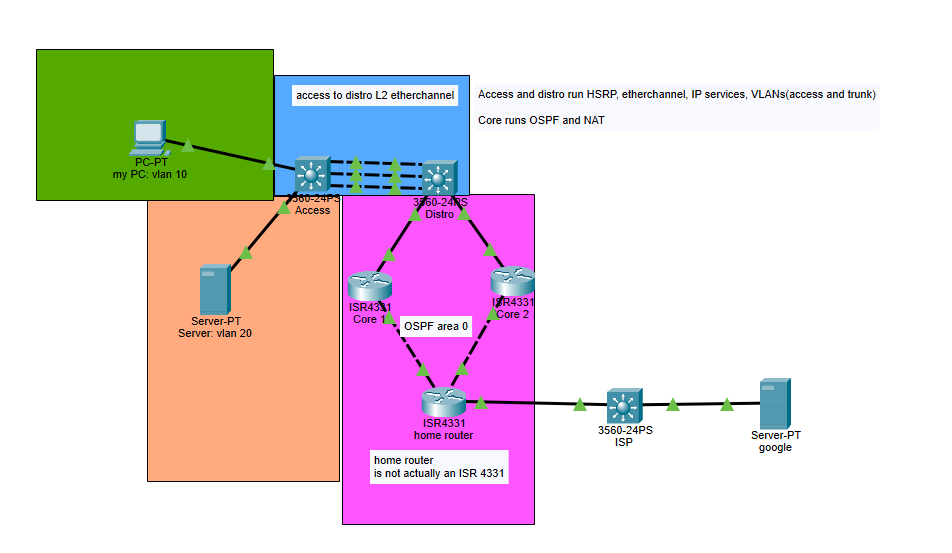
One of the most important things for any aspiring network engineer or IT infrastructure engineer is to have a homelab. As important as certifications are. They do not tell the full extent of one's techincal skill. One may have the CCNA, but may not have the execution skill. I have designed mine to be a small version of a 3 layer architecture. It has 2 switches and 2 routers. This is also the broader area where every single project on this page takes place.

The Cisco 3560v2 switch, the one on top is the access layer switch. The role of this switch is pretty self explanatory. As the name suggests, it provides hosts such as desktops, phones, printers, etc access to the network. It does a lot of functions that the preceding layers do not do. The access layer provides security via 802.1x, VLANs segmentation, it also provides some basic traffic management with the use of ACLs, and PoE for some devices. Overall, this layer is pretty light with all connections being layer 2. If you are interested I will provide a .txt configuration download for each layer so you can see how its configured.

The second switch is the distribution layer. This is the Cisco 3750v2 switch, and it has some more complex functions. Its job is node-to-node communications. This is where we start to see L3 connections, but there are still L2 connections as well. In my setup, I have tried to make it as homelab-friendly as possible. So this switch serves as the DHCP server, which is actually pretty unusual in this traditional form of the model, because you would want a proper server to handle that function in an enterprise network, for several reasons. My current setup means it's far less scalable. In a larger network, multiple routers would forward DHCP request messages to the centralized server. This means we can easily manage the entire network. My model is technically decentralized since you wouldn't pass DHCP request messages to a DHCP switch, but since it's a homelab network, I think it's serviceable. In a traditional 3-tier architecture, this switch serves as the default gateway. I like to think of this layer as the "thinking" layer because it manages the following: VLAN trunks, VTP, L2 node to L3 node communications, etherchannel for distro to distro switches, the default gateway for hosts, FHRP, redundancy, and dynamic routing for L3 connections. This layer has the most intensive jobs of the network.

The 2 routers are Cisco ISR 4331 and they make up the "dumbest" layer of the network. Their primary jobs are the following:

Internet connection via NAT functionality, really fast L3 connections, and OSPF areas/ dynamic routing to other networks/ inter-building communications if you're on a campus network, traffic management via both standard and extended ACLs. This layer doesn't do much thinking, outside of dynamic routing. The reason I have 2 routers is so I can experiment with OSPF areas, FHRP, NAT, etc.

add pictures of the actual devices and make a packet tracer version of the network

Network controller/ Saturn project ###have this project at the top###

This project is not finished, but has a lot of cool features. One of the hardest parts of networking is actually pushing changes to it. In the beginning, a network administator, would have to SSH into every single node which can take a while and is subject to human error. This server allows me to push changes, see real-time network analytics, get current device configurations, and back up device configurations to the server. This server is a quite dynamic. It has a Flask and python backend, and uses javascript as well. This is easily my most complicated project. I call it the "Saturn project" because the server reminds me of the planet and the devices remind me of its many moons. It could also be called the Daedalus project since Daedalus is an architect. [### THIS PROJECT IS NOT COMPLETE DO NOT PUSH THIS SECTION###]

Reverse Proxy Server

You may notice that there are 2 different website servers on the same local area network. This presents quite a problem because how does the router tell the difference between mikahdixon.com and dixoncoloradorepair.com? The solution is to use a reverse proxy server. The way this works is by having the router forward all packets destined for the website servers to the reverse proxy server and then the server will forward them to the destined servers.

IaaS Cloud Server

One of the biggest challenges in setting up this IaaS cloud server was configuring a user account for my friend while ensuring security. Instead of granting root access, I created a sudo account that limits his elevated privileges to specific commands I permit, in this case I give him access to most of the commands. This process involved setting up the user's password, home directory, and allowed commands, ensuring controlled access. This server hosts services like websites. It showcases my skills in cloud models, port forwarding, Linux administration, the principle of least privilege, and OpenSSH configuration. Following AWS best practices, I also configured SSH to use a non-standard port for added security.

Powered in my personal homelab